12 Best AI Video Agent Tools Compared (2026): What Each One Actually Does
May 22, 2026
Keston CollinsVideo editor with nearly 10 years of experience, exploring the intersection of motion graphics and AI.
12 Best AI Video Agent Tools Compared (2026): What Each One Actually Does
The phrase "AI video agent" went from zero to twelve serious products in less than eighteen months. Most people searching for the best ai video agent tools 2026 don't actually know what they're comparing — because the category itself is three different categories wearing the same name. Some agents put a talking avatar on screen. Some agents string together generative clips into a social post. Some agents build the motion graphics layer that sits inside a real edit. They are not substitutes for each other. Picking the wrong one wastes a month.
This piece is the comparison I wish I had when I tested all twelve myself. No leaderboard math, no "revolutionary" adjectives, no pretending one tool wins everything. I'll define the category in plain English, show you the five things that actually matter when you pick one, run through each tool's real job, and end with the framework that's quietly forming behind the scenes — the three sub-categories that will define this space in 2027.
What Is an AI Video Agent? (Definition Without the Hype)
An AI video agent is a system that turns one input — a prompt, a script, a URL, an asset — into a finished or near-finished video by chaining multiple AI specialists (writer, director, animator, voice, editor) instead of asking you to do those jobs yourself. That's the atomic definition. Anything else is marketing.
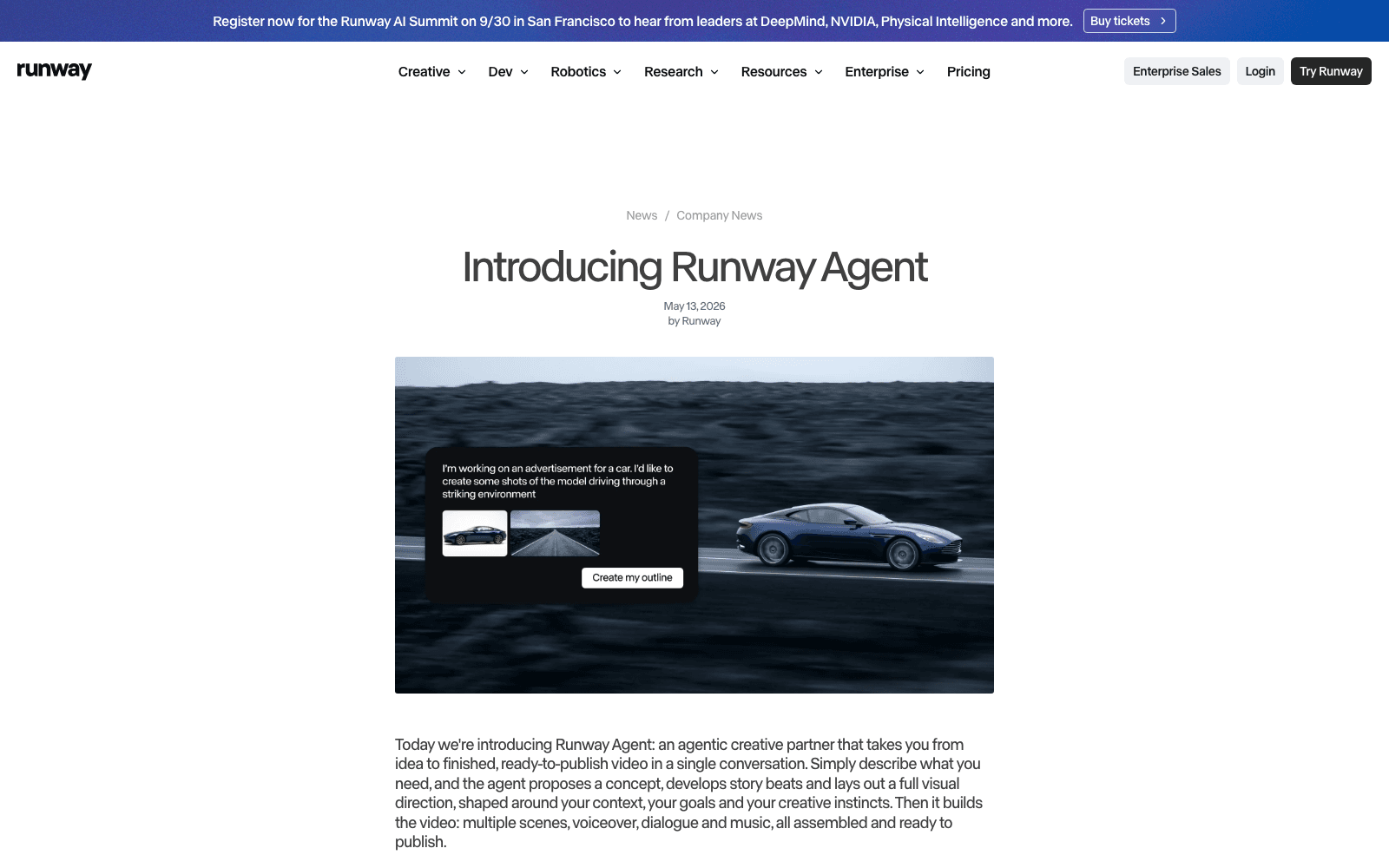
The word "agent" matters here because it separates this category from the previous generation of AI video tools. A generator (Runway, Pika, Sora) takes a prompt and gives you one clip — you still have to write, direct, sequence, score, caption and export. An agent does the chaining for you. You give it the idea; it makes the calls.
In 2026 the term covers three very different jobs. Avatar agents put a synthetic human on screen and lip-sync them to your script — used for training, sales decks, corporate L&D. Generator agents chain a writer, a clip generator, a voiceover and an editor into a social-ready post — used for TikTok, Reels, Shorts. Motion agents build the typography, transitions, UI animations and brand visuals that sit on top of real footage — used by creators, marketers, and post-production teams who already have a video but want it to look like it cost five times more.
A serious shopper picks the category first, the tool second. Skip the category step and you'll buy a tool that's brilliant at the wrong job.
How We Compared These 12 Tools
I tested each tool on the same five-dimension rubric. Not "is it cool" — that's a personality test. Five things actually predict whether you'll renew after month two.
Speed. From first click to first usable export. Some tools claim "30 seconds" and mean it; others quietly take eight minutes and a refresh. I timed each one with a stopwatch on a standard MacBook with 100 Mbps internet.
Control. When the first output is wrong (it usually is), can you fix one specific thing — change a word, swap a clip, edit a transition — without regenerating the whole video? The agents that fail this test are the ones people quietly stop using by month three.
Output Quality. Not "does it look like AI." That ship sailed. The honest question is: would I publish this on the client's brand channel without re-editing it? Or would I have to rip it apart in CapCut first?
Pricing. What you'll actually pay at the volume you actually need — not the headline number on the homepage. Some tools start at $19/mo and balloon to $200 the moment you want HD without a watermark.
Commercial License. Whether the free or starter tier lets you make money. Three of the twelve don't, and one in particular is famously strict — I'll flag those as we go.
Everything below uses those five lenses. Where a tool is great, I say so. Where it falls short, I say that too.
HeyGen Video Agent — Best for: Avatar-led training, sales, and corporate L&D
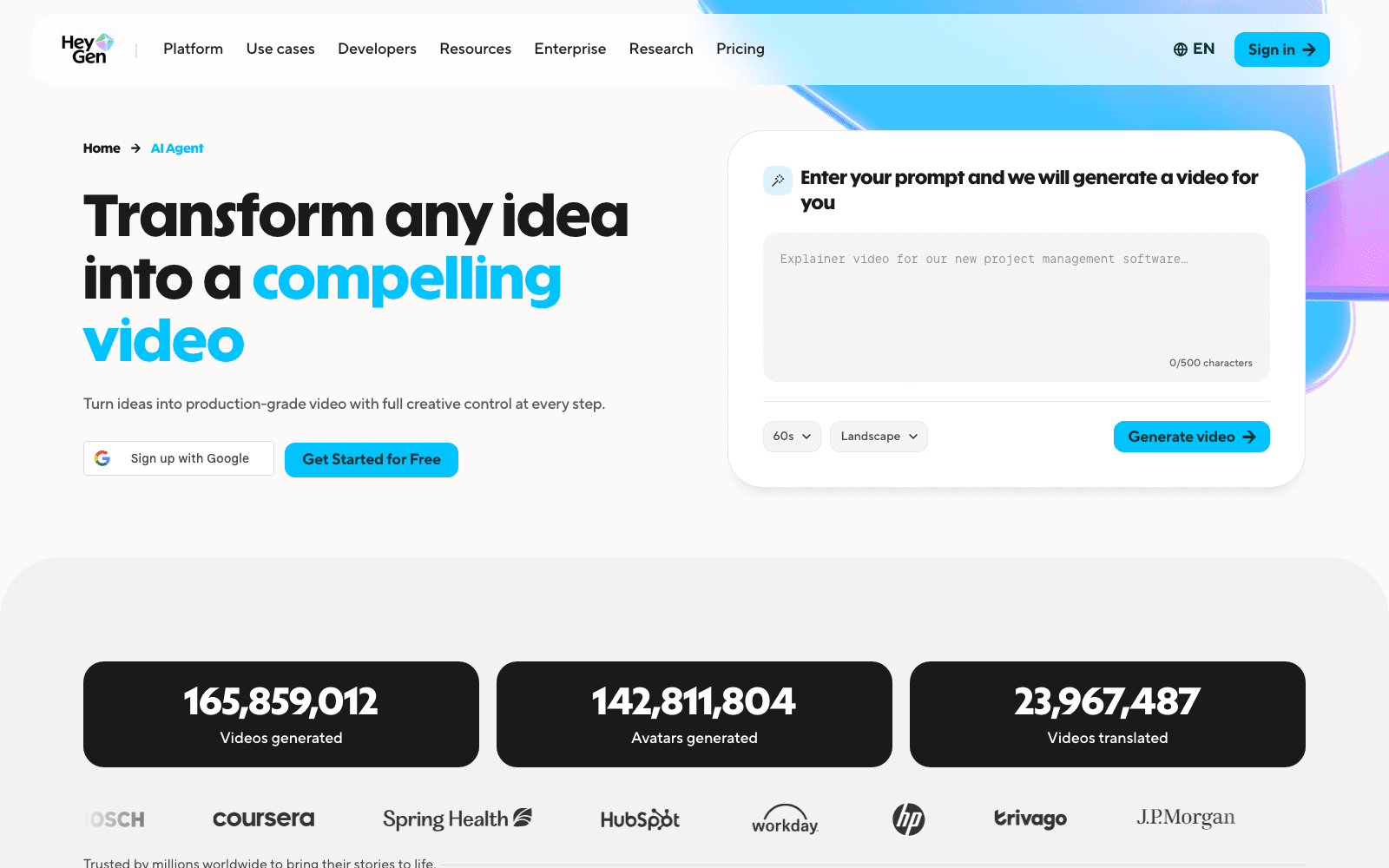
HeyGen's positioning is the clearest in the category: "Not a tool. Not a copilot. It's a creative agent doing the work for you." The Video Agent product takes an idea, generates a script, picks one of their photorealistic AI avatars, and produces a fully-lipped video in your chosen language. As of 2026 plans start at $29/mo for Creator and $89/mo for Team.
One-line positioning: "Transform any idea into a compelling video — a creative agent doing the work for you."
Best for: Sales enablement videos, internal training modules, multilingual corporate communications.
Speed / Control / Quality / Pricing / Commercial: 4 / 4 / 5 / 3 / 5
What it actually does. You type a prompt or paste a script. The agent generates a structured plan, drafts narration, selects an avatar (yours, a stock one, or a brand-trained custom one), generates voiceover in the language you pick from a roster of more than a hundred, lip-syncs the avatar to the audio, and assembles the final video with broll, captions and a brand frame. The output is genuinely good — the lip sync is the best in the category right now, and the avatars no longer have that 2024 plastic stare. For an L&D team that needs to ship forty training videos a quarter, the speed gain is real: a fifteen-minute course used to take a week of recording and editing; with HeyGen it takes an afternoon.
Where it falls short. Everything HeyGen makes has an avatar in it. If your use case is "I just want a sharp ten-second product hook with no talking head," you're paying for capabilities you'll never use. The control surface for non-avatar elements (background broll, on-screen graphics, motion design) is shallow — you can pick from libraries, but you can't really direct the visual style. And the Creator plan caps video length and HD quality in ways that bite quickly.
Pricing. As of 2026, Creator is $29/mo, Team is $89/mo, and the Enterprise tier (the only one with unlimited avatars and API) is custom-quoted. Verify at heygen.com.
The honest verdict. If your output always has a person talking, HeyGen is the leader and the comparison ends there. If it doesn't, you're shopping in the wrong aisle.
Agent Opus — Best for: End-to-end social media pipelines
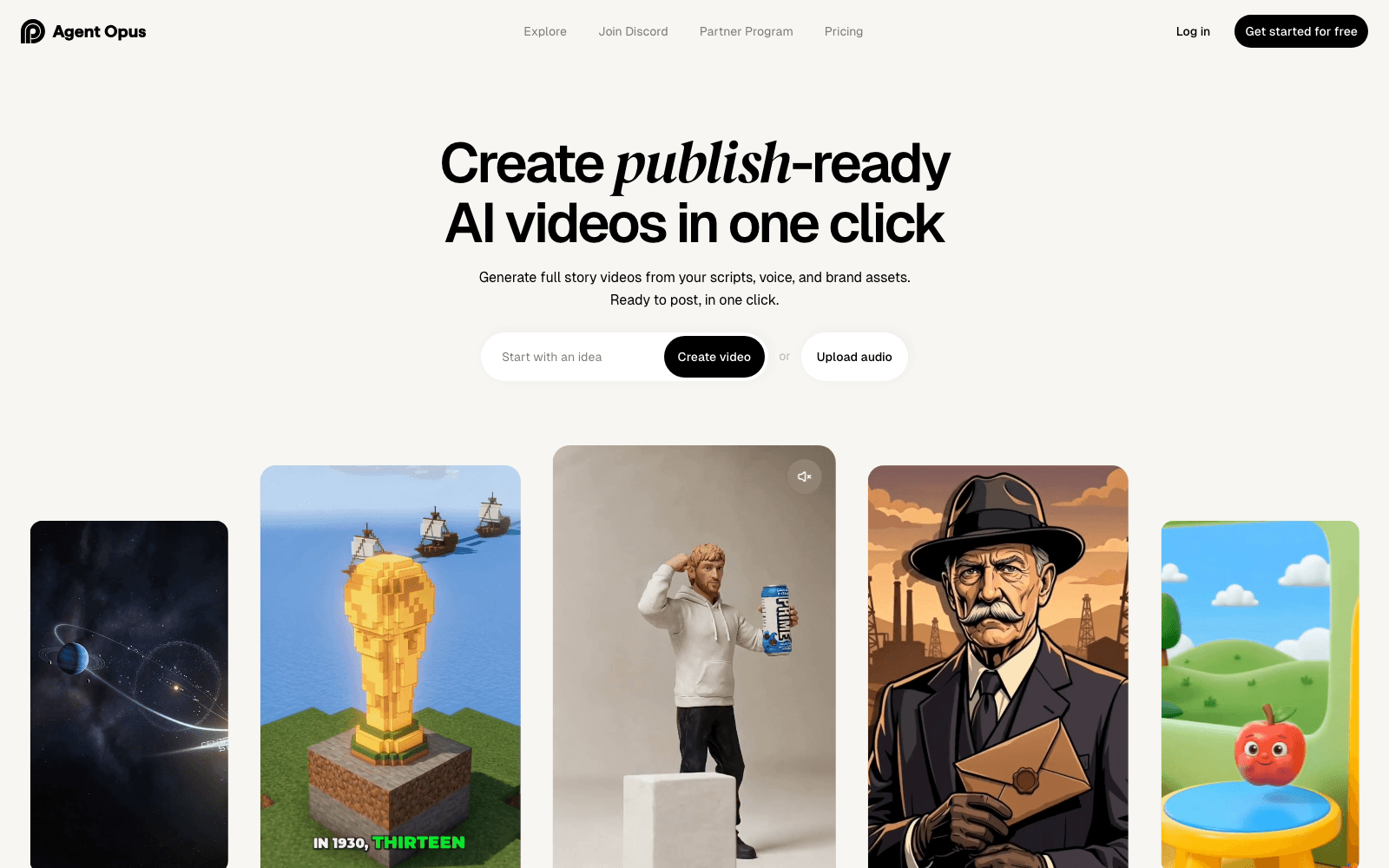
Opus calls itself the first AI Video Agent for Social Media, and the positioning holds up. The pitch is "Stop prompting. Start publishing polished videos." Where HeyGen builds the talking head, Opus builds the whole social post — script, hook, broll, captions, motion, voice, edit — by orchestrating nine specialised AI roles in a single workflow.
One-line positioning: "Stop prompting. Start publishing polished videos."
Best for: TikTok-native creators, social agencies, growth marketers who ship five posts a week.
Speed / Control / Quality / Pricing / Commercial: 5 / 4 / 4 / 4 / 5
What it actually does. You give Opus a topic, a URL, or a long-form video you've already made. The agent spins up nine roles — Researcher, Scriptwriter, Storyboard Designer, Asset Creator, Hook Specialist, Motion Designer, Editor, Voice Director, and Production Manager — and each one handles its slice. You see the work-in-progress at each stage and can intervene. The output is a vertical short, captioned, scored, paced to the first-three-second hook discipline that actually wins on FYP. They also offer Opus Clip (the original product), which slices long video into shorts, and the new Agent tier knits both flows together. For a creator shipping daily, the workflow shrinks from three hours per video to about twenty minutes.
Where it falls short. The nine roles produce a recognisable house style. Watch ten Opus outputs in a row and you'll start spotting the same hook beats, same caption typography, same kinetic-text patterns. That's a problem if your brand needs to look distinct. The motion designer role is the weakest of the nine — for actual motion-graphic polish (typography reveals, brand transitions, UI animation) you'll still want to lean on a dedicated tool.
Pricing. Pricing starts low for clip-only use; the full Agent tier begins higher. Plans evolve fast — verify current numbers at opus.pro/agent before you commit.
The honest verdict. Opus is the leader for social-first end-to-end pipelines. If your workflow ends with "post to TikTok / Reels / Shorts" and starts with "I don't have time to make this," Opus is the default answer. Pair it with a motion graphics layer if your brand has a strong visual identity.
AutoAE — Best for: Branded motion graphics in your Video Agent stack
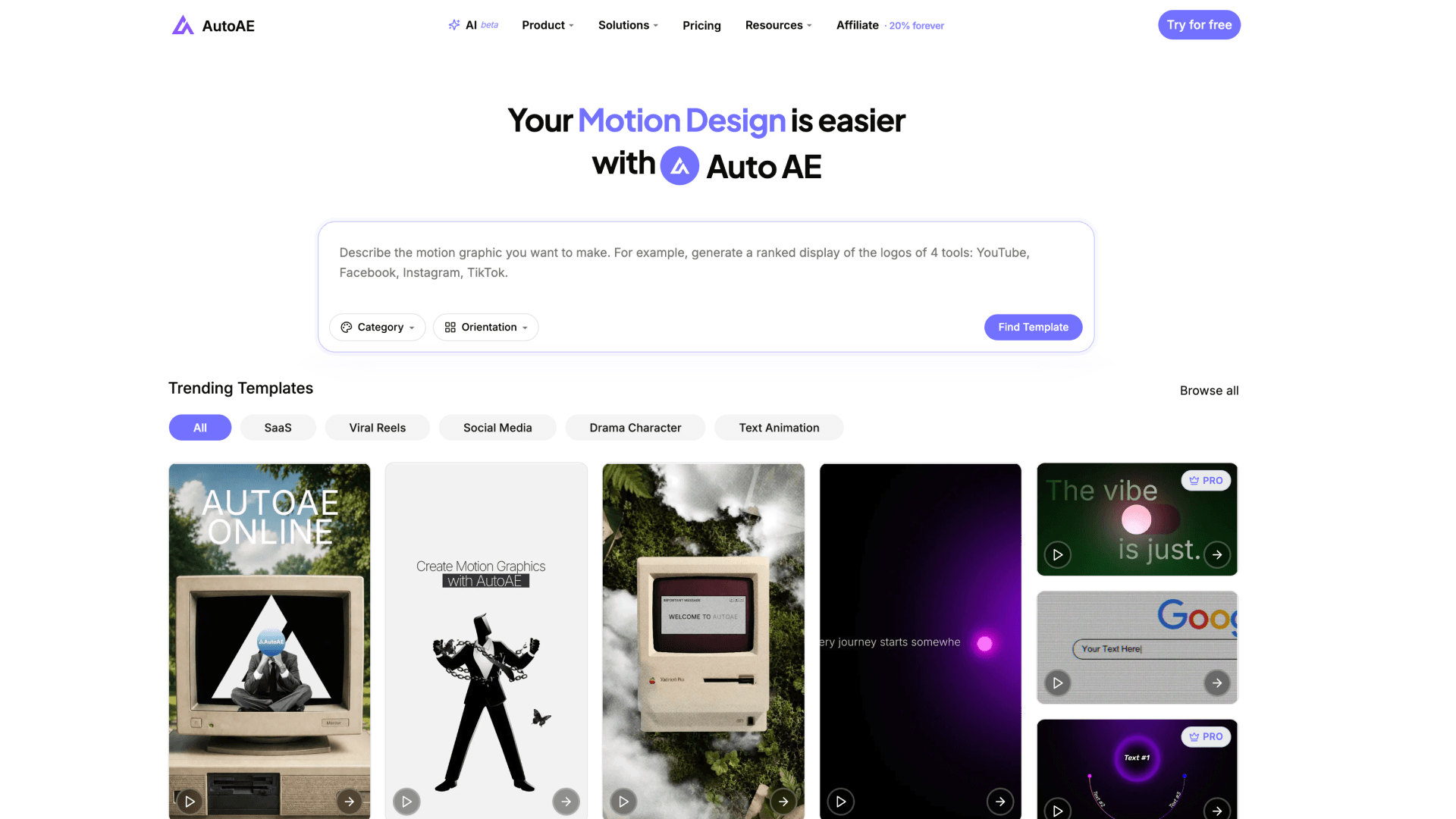
This is the section where I declare a category that doesn't have a clean name yet: Motion Agent. AutoAE is the clearest example of it. The product is an ai video agent for motion graphics — not a talking-head generator, not a social-clip assembler, but the layer that handles the typography hooks, branded transitions, UI animations and promotional visuals that sit inside or on top of real video. About 700,000 creators globally use it, including several million-follower YouTubers and TikTokers. AutoAE was the first platform to define AI Motion Graphics as a category; this article is the first time it's being positioned as a Motion Agent within the broader AI Video Agent landscape.
One-line positioning: "AI motion graphics platform built for creators, marketers, and modern content teams."
Best for: Hook openers for TikTok / Reels / Shorts, channel intros, SaaS launch videos, brand-safe transitions inside a CapCut or Premiere edit.
Speed / Control / Quality / Pricing / Commercial: 5 / 4 / 5 / 5 / 5
What it actually does. You describe the moment you need — "a bold-slogan opener for a Series B fintech, dark mode, 9:16, lands the brand on frame one" — and AutoAE's matcher picks the right motion template from its library (SaaS Launch Kit, 0X100x Style, Apple-tier UI Animations, Short-Form Hooks, Mystery Evidence Board, and more), pre-fills the text and brand fields, and renders an editable preview. You tweak the copy, swap the logo, change the colour, hit render, and download a 1080p clip — usually inside five minutes. Crucially, you don't have to learn After Effects. AutoAE replaces the four-hour AE detour that creators have been doing for a decade with a five-minute pipeline that produces equivalent quality.
Where it falls short. AutoAE is not a long-form editor and doesn't pretend to be. You cannot cut a full ten-minute video in it. The workflow is "make a five-second hook → drop it into CapCut or Premiere for the full edit." If you want one tool that does everything end-to-end, you want Opus or Invideo, not AutoAE. The honest framing is that AutoAE is the armoury, not the assembly line.
Pricing. Starter is $9.90/mo for 50 downloads, Creator is $24.9/mo for 100 downloads with a 5GB Brand Kit, and one-time purchase is $2.90 per video for people who only need one. All paid tiers are 1080p, watermark-free, with commercial licence included. The free tier is 720p with watermarks and explicitly no commercial use.
The honest verdict. If your workflow is "I have video, I need motion-graphic polish on the parts that matter," AutoAE is the dedicated Motion Agent for the job. Pair it with whatever long-form editor you already use. Don't pair it with HeyGen unless you specifically want avatar + motion overlay.
CrePal — Best for: Multi-scene cinematic narratives
CrePal positions itself as "the world's first AI Video Creation Agent" and the pitch is technically interesting: instead of locking you into one generative model, the agent orchestrates several (Kling, Veo, Hailuo, Pika and others) and chooses the right one for each scene. The output is a multi-scene cinematic short — opening shot, character development, climax, resolution — with consistent style across cuts.
One-line positioning: "World's First AI Video Creation Agent" — orchestrating multiple models for multi-scene cinematic output.
Best for: Short narrative films, animated trailers, multi-shot brand stories where consistency across cuts matters.
Speed / Control / Quality / Pricing / Commercial: 3 / 3 / 4 / 4 / 4
What it actually does. You write a story or paste a treatment. CrePal breaks it into scenes, decides which generative model fits each one (Kling for naturalistic motion, Veo for cinematic shots, Hailuo for character consistency), generates each scene, and stitches them with matched colour grading and pacing. The novelty is the model-routing layer — the agent is making editorial calls about which AI to invoke, not just running one model to exhaustion. For narrative shorts of thirty to ninety seconds it produces work that looks deliberately directed rather than randomly generated.
Where it falls short. Generative video still has the "RNG cost" problem — sometimes the second scene refuses to match the first character's face no matter how many times you regenerate, and you burn through credits. CrePal mitigates this with model swapping but doesn't eliminate it. Also, the output is generative end-to-end — there's no "drop in my own footage" path. If you want real video plus motion polish, this isn't it.
Pricing. Plans start at an entry-level monthly fee with credit-based generation. Verify exact tiers at crepal.ai; pricing has shifted twice since launch.
The honest verdict. CrePal is the most interesting bet in the "Director Agent" sub-niche. If your work is fully generative narrative, it's worth a trial. If your work involves real footage at all, look elsewhere.
Pollo Agent — Best for: TikTok/Reel pattern replication
Pollo Agent does one specific thing well: you paste a link to a TikTok or Reel that's already going viral, and the agent reverse-engineers the structure — hook, pacing, cut rhythm, on-screen text rhythm — then helps you build a version with your own content in the same skeleton. It's pattern replication as a service.
One-line positioning: Paste a viral video link, get the same structure with your content.
Best for: Creators chasing the FYP algorithm, social teams building variation tests, growth hackers studying what's working in their niche.
Speed / Control / Quality / Pricing / Commercial: 5 / 3 / 3 / 4 / 4
What it actually does. You feed Pollo a URL. The agent analyses the video — hook timing, cut frequency, text overlay placement, audio sync points — and generates a skeleton. You replace the source content with yours. The agent rebuilds the video matching the original pacing. The honest claim isn't "this guarantees virality" — nothing does — but it removes the analytical step that most creators skip. If a video is performing in your niche, the structure is probably part of why; copying the structure is legal, smart, and what every successful social team does manually.
Where it falls short. The quality ceiling is set by your own content, not by Pollo. If your B-roll is weak, the agent can't save it. The motion-graphic and typography layer is functional but not premium — if you want the text reveals to look high-craft, you'll bring in a Motion Agent.
Pricing. Pro plans start around $15/mo as of 2026 with higher tiers for agencies. Verify at pollo.ai.
The honest verdict. Pollo is a specialist. It's brilliant if you're studying patterns and shipping variants; it's overkill if you make two videos a month.
DeeVid AI — Best for: Long-form videos + image batches
DeeVid AI's agent tier handles the use case most other tools dodge: long-form video, plural assets, batch workflows. One click produces a full-length video; you can also feed it a folder of images and get back a single sequenced piece with transitions, voiceover and music. The pitch is convenience-at-scale rather than craft.
One-line positioning: One-click long videos and multi-image batch workflows.
Best for: Affiliate review videos, photo-to-video edits, podcast episode visualisations, creators who need volume over polish.
Speed / Control / Quality / Pricing / Commercial: 5 / 2 / 3 / 4 / 4
What it actually does. You give DeeVid a topic, a script, or a folder of images. The agent produces a finished video — narration, broll, captions, transitions, music — in one shot. Length scales: short, medium, long-form. The batch image workflow is genuinely useful for photographers and ecommerce sellers who need motion versions of static catalogues. The catch is that one-shot outputs are hard to surgically edit; if scene seven is wrong, you usually regenerate the whole video.
Where it falls short. Control. The agent is opinionated and the regenerate-the-whole-thing pattern means iteration is slow. Output quality is decent but never genuinely high-craft — it solves "I need a video" not "I need a great video."
Pricing. Plans vary by region and have shifted multiple times in 2026; verify at deevid.ai before committing.
The honest verdict. DeeVid is the volume play. Use it when "good enough, lots of them" beats "great, slowly."
Visla — Best for: Internal team communication videos
Visla's agent product is built for a use case most consumer-facing tools forget about: internal video communication. Status updates, training, all-hands recaps, onboarding modules — the videos nobody pays attention to as content but everyone needs to make. The agent records, transcribes, edits, captions and shares in a single flow.
One-line positioning: Internal team videos through an AI agent workflow.
Best for: Distributed teams, internal comms managers, founders who hate writing Loom scripts but need to ship them anyway.
Speed / Control / Quality / Pricing / Commercial: 4 / 4 / 4 / 4 / 5
What it actually does. You record yourself talking, or paste a transcript. Visla's agent edits out filler words, adds captions, generates a polished thumbnail, suggests B-roll, and exports something that looks ten times better than a raw Loom. The integration with Slack, Notion and Confluence means the published video lives where the team already works.
Where it falls short. This is a niche tool. If you're a creator, this isn't for you. The aesthetic ceiling is "professional internal video" — clean, not creative. Output isn't designed to compete on TikTok.
Pricing. Tiered plans starting low; team and enterprise pricing custom-quoted. Verify at visla.us.
The honest verdict. If you ship five internal videos a month and they all look like garbage, Visla is the fix. If your output is external content, it's the wrong tool.
The Fast 5: FlexClip, VEED, Pippit, Invideo, Synthesia
Five tools that deserve mention but don't need a full essay because their role in the lineup is clear.
FlexClip AI Agent
FlexClip's strength is that it integrates three of the heavyweight generative models — Veo 3, Kling, Hailuo — and lets the agent pick the right one for the job. The output flow is template-first then AI-enhanced, which means you start with a structure and the agent fills it intelligently rather than starting from a blank prompt. Best for: Marketers who want template safety with AI flexibility. Speed / Control / Quality / Pricing / Commercial: 4 / 4 / 4 / 5 / 5. The free tier is generous; paid tiers start around $10/mo. The honest verdict: A safe bet for marketing teams who don't want to gamble on a fully generative workflow yet.
VEED AI Video Agent
VEED is primarily an editor, secondarily an agent. The agent feature handles captioning, translation, voice cleaning, and short generative B-roll. Best for: Cleaning up existing footage, multilingual captioning, podcast-to-video conversion. Speed / Control / Quality / Pricing / Commercial: 4 / 5 / 4 / 4 / 5. Plans start around $18/mo as of 2026. Verify at veed.io. The honest verdict: Best when you already have footage and want it cleaned, not when you want a video built from scratch.
Pippit AI
Pippit's positioning is the most aggressive in the category: "Turn anything into viral videos with auto posting." The agent generates the video and then publishes it across platforms on a schedule you set. Best for: Affiliate marketers, ecommerce sellers shipping daily content, growth teams running volume tests. Speed / Control / Quality / Pricing / Commercial: 5 / 2 / 3 / 4 / 4. Pricing varies by feature tier; verify at pippit.ai. The honest verdict: Use it for volume, not for hero content.
Invideo AI
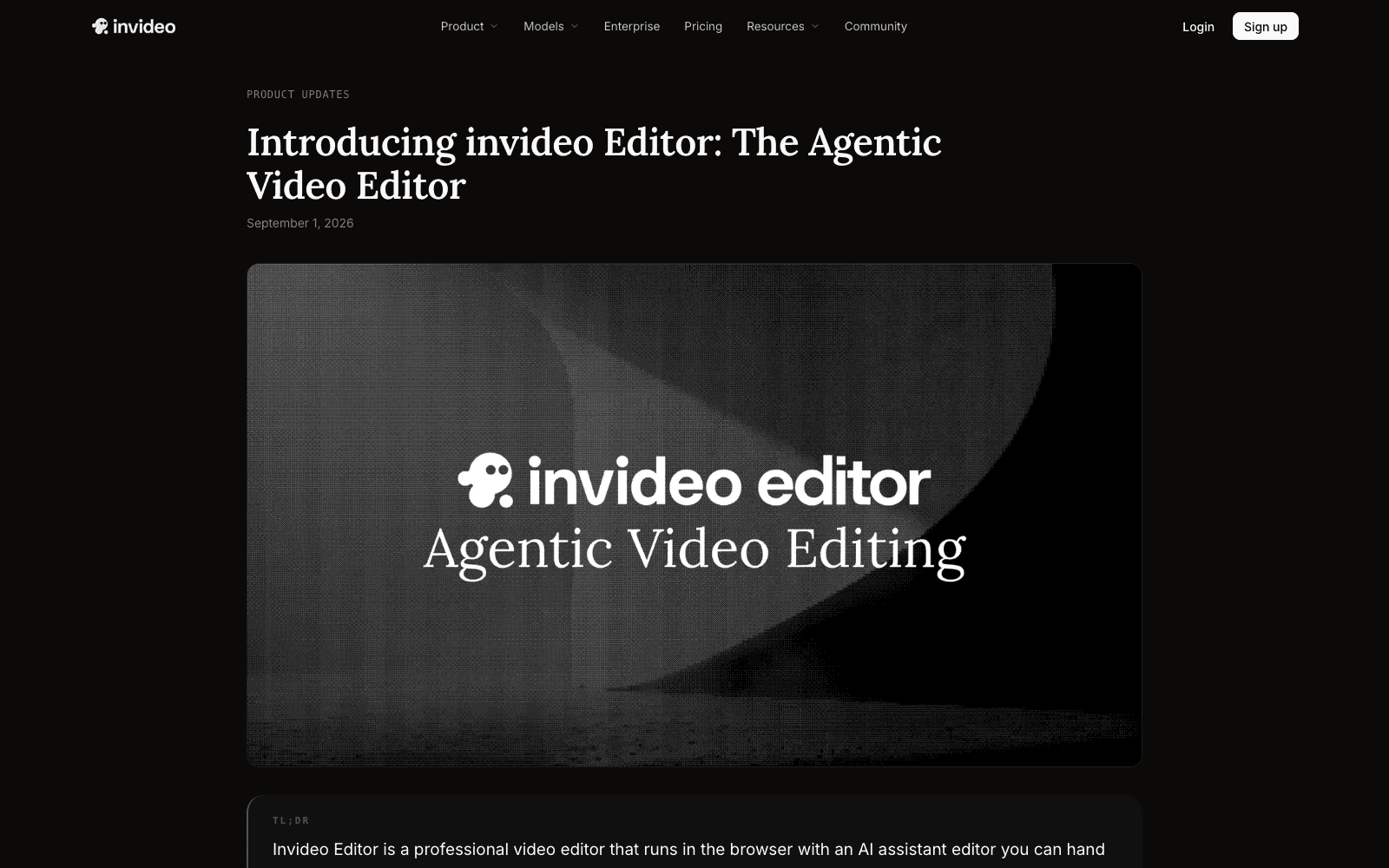
Invideo's agent feature is conversational: you talk to it like you would a junior video editor, telling it what to change and watching it adjust the timeline. Best for: Marketers and educators making explainer videos, course creators, anyone who finds it easier to talk than to click. Speed / Control / Quality / Pricing / Commercial: 4 / 5 / 4 / 4 / 5. The Plus tier starts around $20/mo. The honest verdict: Strong for people who like collaborative back-and-forth; less useful if you want one-shot speed.
Synthesia
Synthesia is the corporate avatar standard. If your stakeholders include a head of L&D, a head of compliance, or a head of internal comms, Synthesia is probably already in the conversation. Best for: Enterprise training, regulated industries, security-conscious teams. Speed / Control / Quality / Pricing / Commercial: 4 / 4 / 5 / 3 / 5. Starter is around $29/mo and Creator around $89/mo as of 2026. The honest verdict: The safe enterprise pick. If you can pick HeyGen, you can pick Synthesia.
The Three Categories of AI Video Agents in 2026
Here is the framework that pulls all twelve tools into focus. If you remember nothing else from this article, remember this — because the next twelve months of marketing copy in this space is going to be a fight over these three labels, and the team that names them clearly wins the search results.
There are three sub-categories of AI Video Agent in 2026: Avatar Agents, Generator Agents, and Motion Agents. They are not competitors. They are not substitutes. They are three layers in a single video stack, and most serious creators in 2027 will use one tool from each.
Avatar Agents
An Avatar Agent puts a synthetic human on screen and makes them say what you wrote. The agent owns three jobs: the script (turning a prompt into a coherent monologue), the avatar (picking, training, and lip-syncing the synthetic person), and the voice (generating multilingual narration with breath and pacing). The output is a person talking directly to the viewer. The best examples are HeyGen Video Agent and Synthesia. The use cases are narrow but high-value: corporate training, sales enablement, customer support videos, multilingual onboarding, regulated-industry communications. The shopping question is "do we need a person on screen?" If yes, you're in this aisle. If no, you're not.
Generator Agents
A Generator Agent takes an idea and builds a fully assembled social-ready video — usually vertical, captioned, scored, paced — by chaining a writer, a visual generator, an editor and a publisher. The agent owns the whole pipeline from concept to post-ready file. The best example is Agent Opus, with CrePal specialising in multi-scene cinematic narratives, Pollo specialising in pattern replication, and DeeVid / Invideo / Pippit / FlexClip / VEED clustering around different shades of "make me a video from a prompt." The use cases are social-native: TikTok creators, Reels marketers, YouTube Shorts teams, growth experimenters shipping ten variations a week. The shopping question is "do I want the whole video built end-to-end, or just one layer of it?"
Motion Agents
A Motion Agent doesn't build the whole video. It builds the layer that makes the video look like it was made by professionals — the typography hooks, the branded transitions, the UI animations, the promotional visuals, the five seconds at the start that decide whether viewers swipe away or stay. The agent owns the motion-graphics craft that used to require After Effects, three days, and a dedicated designer. The best example is AutoAE. There aren't yet many serious competitors in this specific sub-category, because Motion Agent as a label is just being recognised — most teams who need this work either drop into After Effects manually, or buy a Generator Agent and accept that its motion layer is generic.
The use cases are everywhere real video exists: YouTube channel intros, TikTok hook openers, Reels title cards, SaaS product launches, ad creative, podcast video versions, paid-media variants, agency client deliverables. The shopping question is "I have video — I need the motion-graphic moments to land." If yes, you need a Motion Agent. Pair it with whatever long-form editor you use (CapCut, Premiere, DaVinci) and you've replaced the AE detour entirely.
Why this framework matters for buying decisions
The wrong way to compare these twelve tools is to make a single leaderboard and rank them. They're not on the same leaderboard. Asking "is HeyGen better than AutoAE" is like asking "is a microphone better than a lens" — they do different jobs in the same production. The serious 2027 video stack looks like one tool per layer: an Avatar Agent for the moments a person needs to speak, a Generator Agent for high-volume social content, a Motion Agent for the polish that decides whether your work looks expensive or cheap. Pick all three. Don't try to make one of them do everything; you'll be disappointed by all three.
The corollary is that the worst pricing decision you can make is paying for two tools in the same sub-category. Pick one Avatar Agent, one Generator Agent, one Motion Agent — never two of the same. The overlap is total and the second subscription is wasted.
Where the category goes next
By the end of 2026 we'll see two things harden. First, the three sub-categories will get formal names — "Avatar Agent," "Generator Agent," and "Motion Agent" or some near-variant — and search behaviour will follow. The keyword "ai video agent for motion graphics" went from near-zero monthly search to measurable volume in the last six months; "ai video agent for social media" is now Opus's competitive moat. Second, the agents will start talking to each other. AutoAE's motion layer feeding into Opus's social pipeline, HeyGen's avatar dropping into Invideo's editor — the integrations exist in fragments today and will be the obvious product roadmap for 2027.
For now, the practical move is to know which sub-category your work lives in, pick the leader of that sub-category, and skip the urge to pay for tools whose job you don't actually have.
FAQ
What is an AI video agent?
An AI video agent is a software system that produces a finished or near-finished video from a single input — a prompt, script, URL, or asset — by chaining multiple AI specialists (writer, director, visual generator, voice, editor) instead of asking the user to do those jobs separately. It differs from an AI video generator, which produces a single clip from a prompt and leaves the rest of the production work to you.
AI video agent vs AI video generator — what's the difference?
An AI video generator (Runway, Pika, Sora) takes a prompt and gives you one video clip. You still write, sequence, score, caption, edit and publish. An AI video agent does the sequencing, scoring, editing and often the publishing for you — it chains several AI tools into one workflow. Generators are atoms; agents are factories. If you want a single clip, use a generator. If you want a finished post, use an agent.
Which AI video agent doesn't need a talking avatar?
Most of them. Avatar agents (HeyGen, Synthesia, D-ID) put a synthetic person on screen by default. Generator agents (Opus, CrePal, Pollo, Invideo, DeeVid, FlexClip, VEED, Pippit) and Motion Agents (AutoAE) do not — they work with footage, generated clips, or motion graphics with no avatar requirement. If you specifically don't want a face on screen, pick from the Generator or Motion sub-categories.
Is HeyGen Video Agent worth it for creators?
HeyGen is worth it if your videos always have a person talking — sales videos, training, multilingual messages, course content. For TikTok creators, Reels marketers, or anyone making content without a presenter, HeyGen is overpriced for the bits you'd actually use. The Avatar Agent category solves a specific use case extremely well; outside that use case, a Generator Agent or Motion Agent is the right spend.
Can I use an AI video agent for commercial content?
Most paid plans include commercial licence; most free plans do not. HeyGen, Synthesia, Opus, AutoAE, Invideo, FlexClip, VEED and D-ID all include commercial rights on paid tiers. Free tiers vary — AutoAE's free tier, for example, is explicitly non-commercial and watermarked, while the Starter plan ($9.90/mo) unlocks commercial use, 1080p, and watermark-free export. Always check the licence page before publishing client work; the difference between "personal use" and "commercial use" is usually a Terms-of-Service paragraph nobody reads until they get an email.
What's the cheapest AI video agent for individual creators?
The cheapest serious entry point in 2026 is AutoAE's one-time $2.90 per video for a Motion Agent (no subscription), or AutoAE's Starter at $9.90/mo for 50 monthly downloads with commercial licence. Most Generator Agents start in the $15–$25 range, and Avatar Agents like HeyGen and Synthesia begin around $29/mo. For a creator testing the category before committing, the $2.90 one-time option lets you see real output without a subscription decision.
<script type="application/ld+json">
{
"@context": "https://schema.org",
"@graph": [
{
"@type": "Article",
"headline": "12 Best AI Video Agent Tools Compared (2026): What Each One Actually Does",
"description": "We compared 12 AI Video Agent tools — HeyGen, Agent Opus, Pollo, CrePal, AutoAE and more. Here's exactly what each one does, which one fits your workflow, and where the category is heading.",
"datePublished": "2026-05-22",
"dateModified": "2026-05-22",
"author": {"@type": "Organization", "name": "AutoAE", "url": "https://autoae.online"},
"publisher": {"@type": "Organization", "name": "AutoAE", "url": "https://autoae.online"},
"mainEntityOfPage": {"@type": "WebPage", "@id": "https://autoae.online/blog/best-ai-video-agent-tools-2026"}
},
{
"@type": "FAQPage",
"mainEntity": [
{
"@type": "Question",
"name": "What is an AI video agent?",
"acceptedAnswer": {
"@type": "Answer",
"text": "An AI video agent is a software system that produces a finished or near-finished video from a single input — a prompt, script, URL, or asset — by chaining multiple AI specialists (writer, director, visual generator, voice, editor) instead of asking the user to do those jobs separately. It differs from an AI video generator, which produces a single clip from a prompt and leaves the rest of the production work to you."
}
},
{
"@type": "Question",
"name": "AI video agent vs AI video generator — what's the difference?",
"acceptedAnswer": {
"@type": "Answer",
"text": "An AI video generator (Runway, Pika, Sora) takes a prompt and gives you one video clip. You still write, sequence, score, caption, edit and publish. An AI video agent does the sequencing, scoring, editing and often the publishing for you — it chains several AI tools into one workflow. Generators are atoms; agents are factories. If you want a single clip, use a generator. If you want a finished post, use an agent."
}
},
{
"@type": "Question",
"name": "Which AI video agent doesn't need a talking avatar?",
"acceptedAnswer": {
"@type": "Answer",
"text": "Most of them. Avatar agents (HeyGen, Synthesia, D-ID) put a synthetic person on screen by default. Generator agents (Opus, CrePal, Pollo, Invideo, DeeVid, FlexClip, VEED, Pippit) and Motion Agents (AutoAE) do not — they work with footage, generated clips, or motion graphics with no avatar requirement. If you specifically don't want a face on screen, pick from the Generator or Motion sub-categories."
}
},
{
"@type": "Question",
"name": "Is HeyGen Video Agent worth it for creators?",
"acceptedAnswer": {
"@type": "Answer",
"text": "HeyGen is worth it if your videos always have a person talking — sales videos, training, multilingual messages, course content. For TikTok creators, Reels marketers, or anyone making content without a presenter, HeyGen is overpriced for the bits you'd actually use. The Avatar Agent category solves a specific use case extremely well; outside that use case, a Generator Agent or Motion Agent is the right spend."
}
},
{
"@type": "Question",
"name": "Can I use an AI video agent for commercial content?",
"acceptedAnswer": {
"@type": "Answer",
"text": "Most paid plans include commercial licence; most free plans do not. HeyGen, Synthesia, Opus, AutoAE, Invideo, FlexClip, VEED and D-ID all include commercial rights on paid tiers. Free tiers vary — AutoAE's free tier, for example, is explicitly non-commercial and watermarked, while the Starter plan ($9.90/mo) unlocks commercial use, 1080p, and watermark-free export. Always check the licence page before publishing client work."
}
},
{
"@type": "Question",
"name": "What's the cheapest AI video agent for individual creators?",
"acceptedAnswer": {
"@type": "Answer",
"text": "The cheapest serious entry point in 2026 is AutoAE's one-time $2.90 per video for a Motion Agent (no subscription), or AutoAE's Starter at $9.90/mo for 50 monthly downloads with commercial licence. Most Generator Agents start in the $15–$25 range, and Avatar Agents like HeyGen and Synthesia begin around $29/mo. For a creator testing the category before committing, the $2.90 one-time option lets you see real output without a subscription decision."
}
}
]
}
]
}
</script>